
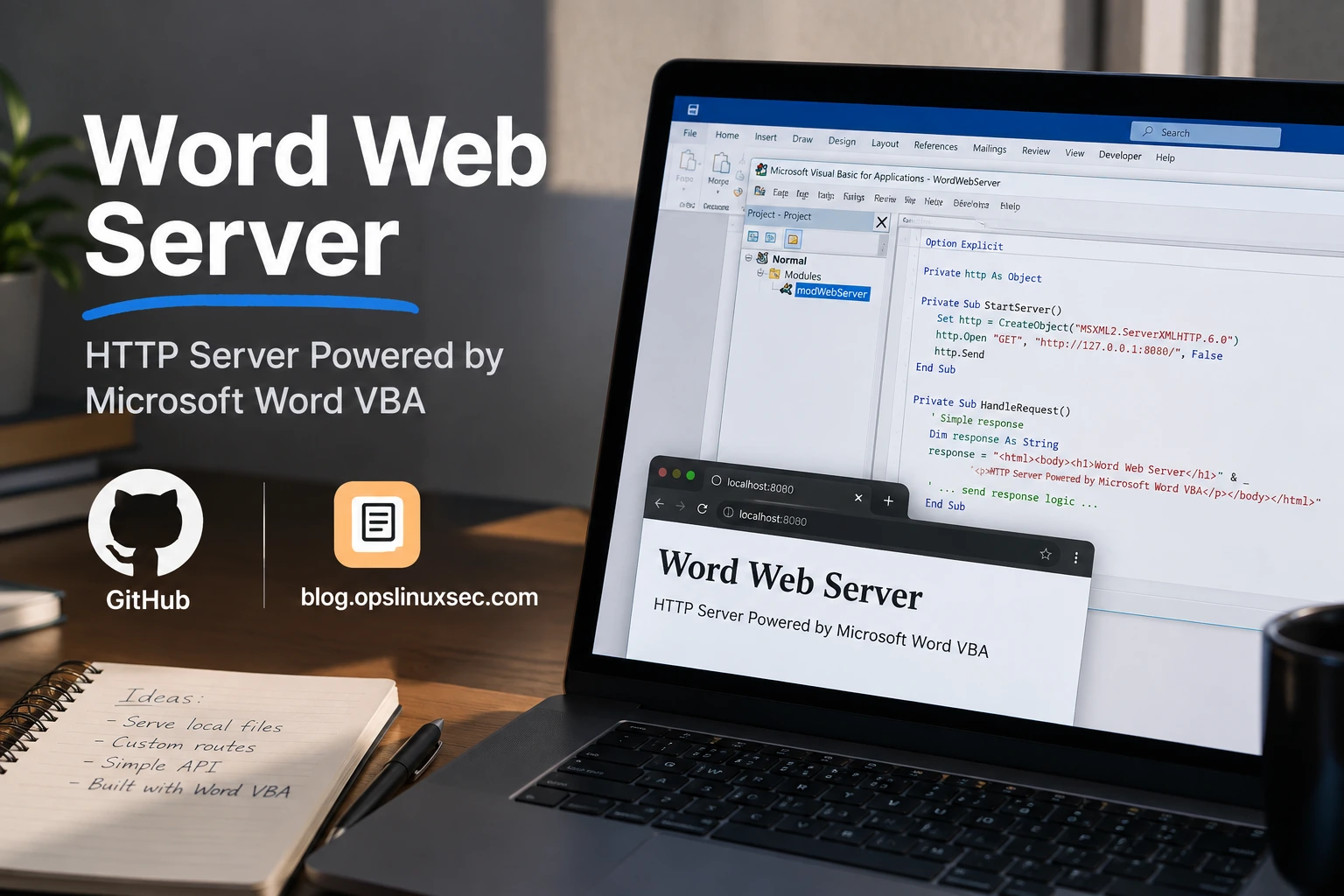
Word Web Server — HTTP Server Powered by Microsoft Word VBA
A proof-of-concept HTTP web server implemented entirely with Microsoft Word VBA and the native Windows Winsock API.
This project demonstrates that Microsoft Word does not have to be limited to document editing. Through VBA, Word can call native Windows networking APIs, create a TCP socket, bind to a local address and port, accept HTTP connections, parse requests, read files from a web root, and return valid HTTP responses to a browser.
Project type: Educational / Proof of Concept
Primary platform: Microsoft Word on Windows
Implementation language: VBA
Network API: Windows Winsock (ws2_32.dll)
Protocol: HTTP over TCP
Default address:0.0.0.0:8081
Default web root:C:\www
Overview
The project turns a Microsoft Word document into a small HTTP server.
The VBA code does not use IIS, Apache, Nginx, Node.js, Python, PHP, or another conventional web-server framework. Instead, Word’s VBA runtime directly invokes functions exported by the Windows Winsock library.
The core configuration is:
Public Const SERVER_HOST As String = "0.0.0.0"
Public Const SERVER_PORT As Long = 8081
Public Const WEB_ROOT As String = "C:\www"
This means the server attempts to listen on TCP port 8081 on all local IPv4 interfaces and serves static files from C:\www.
The browser-facing URL generated by the project is:
http://127.0.0.1:8081The project also creates a Word-based control panel containing server information, controls, and an event log.
How It Works
At a high level, the system works like this:
+----------------------+
|    Microsoft Word    |
|      WINWORD.EXE     |
+----------+-----------+
           |
           | VBA
           v
+----------------------+
|     VBA Server       |
|                      |
| SetupDashboard       |
| StartServer          |
| PollServer           |
| HandleClient         |
| ServeFile            |
+----------+-----------+
           |
           | Windows API calls
           v
+----------------------+
|   ws2_32.dll         |
|      Winsock         |
+----------+-----------+
           |
           | TCP
           v
+----------------------+
|   Browser / Client   |
|  127.0.0.1:8081     |
+----------------------+

           ^
           |
           | Static files
           |
+----------+-----------+
|       C:\www         |
|                     |
| index.html           |
| style.css            |
| script.js            |
| images/...            |
+----------------------+
The important idea is that Word itself is the process hosting the networking logic.
The VBA code creates the socket through Windows APIs. Word then periodically checks whether a client has connected. When a connection is accepted, the request is read, interpreted, and mapped to a file under the configured web root.
Architecture
The project consists of several logical layers.
1. Word / VBA Layer
Microsoft Word provides:
- the VBA execution environment
- the document object model
- tables used as the dashboard UI
- macro buttons
Application.OnTime- browser hyperlink integration
- file I/O through VBA
2. Networking Layer
Windows Winsock provides:
- Winsock initialization
- TCP socket creation
- socket binding
- listening
- accepting connections
- receiving data
- sending data
- non-blocking socket configuration
- socket cleanup
All of these are accessed through declarations such as:
Private Declare PtrSafe Function socket Lib "ws2_32.dll" (...)3. HTTP Layer
The VBA code implements a minimal HTTP server itself.
It:
- receives the raw HTTP request
- converts the received bytes into a VBA string
- extracts the first HTTP request line
- parses the method and path
- validates the method
- maps the URL path to a local file
- determines the MIME type
- creates HTTP headers
- sends the response body
4. File System Layer
The web root is:
C:\wwwFiles are read directly from the Windows filesystem and transmitted through the TCP connection.
Request Lifecycle
A normal request follows this sequence:
Browser
   |
   | GET /index.html HTTP/1.1
   v
Winsock listening socket
   |
   | accept()
   v
Client socket
   |
   | recv()
   v
HandleClient()
   |
   +--> BytesToString()
   |
   +--> GetFirstLine()
   |
   +--> ParseRequest()
   |
   v
ServeFile()
   |
   +--> Clean URL
   +--> Prevent ".." traversal
   +--> Build filesystem path
   +--> FileExists()
   +--> ReadFile()
   +--> GetMimeType()
   |
   v
HTTP response
   |
   | send()
   v
Browser
For example:
GET /index.html HTTP/1.1
Host: 127.0.0.1:8081
Connection: keep-alive
The server primarily uses the first request line:
GET /index.html HTTP/1.1It extracts:
Method = GET
Path   = /index.html
The path is then mapped to:
C:\www\index.htmlIf the file exists, it is read as bytes and returned to the client.
Microsoft Word as the Host Process
The unusual part of this project is that the server runs inside WINWORD.EXE.
The dashboard explicitly identifies the engine as:
WINWORD.EXE / WINSOCKWord is therefore responsible for executing the VBA code, maintaining the server state, displaying the management interface, and scheduling the polling routine.
The actual TCP networking is not implemented by Word itself. VBA calls the native Windows Winsock API:
VBA
 |
 +--> ws2_32.dll
        |
        +--> TCP socket
This is an important distinction.
Microsoft Word provides the process and runtime. Windows Winsock provides the networking implementation.
VBA Components
Server Configuration
The server configuration is defined using public constants:
Public Const SERVER_HOST As String = "0.0.0.0"
Public Const SERVER_PORT As Long = 8081
Public Const WEB_ROOT As String = "C:\www"
SERVER_HOST
0.0.0.0The socket is bound to all local IPv4 interfaces.
SERVER_PORT
8081The TCP listener uses port 8081.
WEB_ROOT
C:\wwwAll requested files are resolved relative to this directory.
The browser URL uses a separate host constant:
Private Const SERVER_URL_HOST As String = "127.0.0.1"Therefore the generated URL is:
http://127.0.0.1:8081Server State
Several private variables maintain the server state:
Private ServerRunning As Boolean
Private SocketOpen As Boolean
Private WinsockReady As Boolean
Private PollScheduled As Boolean

Private RequestCount As Long
Private NextPollTime As Date
They represent:
| Variable | Purpose |
|---|---|
ServerRunning | Indicates whether the HTTP server is considered active |
SocketOpen | Indicates whether the listening socket exists |
WinsockReady | Indicates whether Winsock has been initialized |
PollScheduled | Prevents duplicate polling schedules |
RequestCount | Counts accepted HTTP requests |
NextPollTime | Stores the next scheduled polling time |
The server socket itself uses conditional compilation:
#If VBA7 Then
    Private ServerSocket As LongPtr
#Else
    Private ServerSocket As Long
#End If
This allows the code to use an appropriate pointer type depending on the VBA environment.
Winsock API
The project directly imports functions from:
ws2_32.dllThe main functions are:
WSAStartup
Initializes the Winsock subsystem.
WSAStartup(&H202, wsa)The requested Winsock version is 2.2.
WSACleanup
Releases Winsock resources after the server is stopped.
socket
Creates the TCP socket:
socket(AF_INET, SOCK_STREAM, IPPROTO_TCP)The parameters indicate:
AF_INET     = IPv4
SOCK_STREAM = TCP stream socket
IPPROTO_TCP = TCP protocol
bind
Associates the socket with the configured address and port.
listen
Places the socket into listening mode.
The project uses a backlog of:
20accept
Accepts an incoming client connection.
recv
Receives HTTP request bytes from a client.
send
Sends HTTP response bytes back to the client.
ioctlsocket
Used to configure the listening socket as non-blocking.
closesocket
Closes a socket.
WSAGetLastError
Retrieves the last Winsock error code.
htons
Converts the port number to network byte order before binding.
Winsock Data Structures
The project defines two structures required by Winsock.
WSAData
Private Type WSAData
    wVersion As Integer
    wHighVersion As Integer
    ...
End Type
This structure receives information from WSAStartup.
SOCKADDR_IN
Private Type SOCKADDR_IN
    sin_family As Integer
    sin_port As Integer
    sin_addr As Long
    sin_zero(0 To 7) As Byte
End Type
This structure represents the IPv4 socket address used by bind() and accept().
The code sets:
addr.sin_family = AF_INET
addr.sin_port = htons(CInt(SERVER_PORT))
addr.sin_addr = 0
Setting sin_addr to zero corresponds to binding to all local IPv4 addresses.
Dashboard
SetupDashboard() builds the entire Word control panel.
The document is cleared:
doc.Content.DeleteThe dashboard then creates:
- a title table
- an information table
- a button table
- a logging table
The dashboard displays:
SERVER STATUS
SERVER ENGINE
SERVER HOST
SERVER PORT
WEB ROOT
SERVER URL
REQUEST COUNT
LAST ACTION
The dashboard also automatically calls:
StartServerafter initialization.
Dashboard Controls
The control panel provides four macro buttons.
START
Calls:
StartServerThis initializes the networking stack and starts listening for connections.
STOP
Calls:
StopServerThis stops the server, closes the socket, and cleans up Winsock.
WEB
Calls:
OpenWebThis opens:
http://127.0.0.1:8081in the default browser.
CLEAR LOG
Calls:
ClearLogThis removes existing log rows while preserving the table header.
Server Startup
StartServer() performs the complete startup sequence.
Step 1 — Validate Dashboard
The server requires the dashboard to exist.
If InfoTable is not initialized, the user is instructed to run SetupDashboard() first.
Step 2 — Update Status
The dashboard changes to:
STARTINGStep 3 — Ensure Web Root
The code calls:
EnsureWebRootThis creates C:\www when necessary and creates a default index.html if one does not already exist.
Step 4 — Initialize Winsock
WSAStartup(&H202, wsa)If successful:
WinsockReady = TrueStep 5 — Create TCP Socket
socket(AF_INET, SOCK_STREAM, IPPROTO_TCP)Step 6 — Bind
The socket is bound to:
0.0.0.0:8081Step 7 — Listen
The socket begins listening with a backlog of 20.
Step 8 — Enable Non-Blocking Mode
ioctlsocket(ServerSocket, FIONBIO, nonBlocking)The listening socket is configured so that accept() does not block the Word main thread.
Step 9 — Mark Server as Running
The state becomes:
RUNNINGStep 10 — Start Polling
Finally:
SchedulePollis called.
Polling Mechanism
Traditional servers usually have a continuously running event loop or dedicated worker threads.
This implementation instead uses Microsoft Office’s scheduling mechanism:
Application.OnTimeThe polling interval is:
Private Const POLL_SECONDS As Long = 1Therefore the server checks for incoming connections approximately once per second.
The flow is:
SchedulePoll()
      |
      v
Application.OnTime
      |
      | 1 second
      v
PollServer()
      |
      v
accept()
      |
      +---- client available ---> HandleClient()
      |
      +---- no client ----------> schedule next poll
The PollScheduled flag prevents the code from creating multiple simultaneous schedules.
This approach allows Word to remain responsive instead of waiting indefinitely inside a blocking accept() call.
HTTP Client Handling
HandleClient() processes an accepted client socket.
A 16 KiB byte buffer is allocated:
Dim buffer(0 To 16383) As ByteThe code receives data with:
recv(client, buffer(0), 16384, 0)The received bytes are converted into a VBA string:
requestText = BytesToString(buffer, received)Then the first HTTP line is extracted:
requestLine = GetFirstLine(requestText)Finally:
ParseRequest requestLine, method, pathproduces the HTTP method and URL path.
HTTP Request Parsing
The parser intentionally implements a minimal HTTP request parser.
For a request such as:
GET /index.html HTTP/1.1ParseRequest() splits the request line using spaces:
GET
/index.html
HTTP/1.1It then takes:
method = GET
path   = /index.html
The method is normalized to uppercase.
The code does not implement a complete HTTP/1.1 parser. It only needs the request method and requested path for its static-file-serving purpose.
Supported HTTP Methods
The server explicitly accepts:
GET
HEAD
Any other method receives:
405 Method Not AllowedFor GET, the server sends both headers and file content.
For HEAD, the server sends the headers but intentionally skips the response body.
This behavior is implemented through:
ServeFile client, path, (method = "HEAD")Static File Serving
The main static-file logic is implemented by:
ServeFile()The process is:
URL path
   |
   v
Remove query string
   |
   v
Convert "/" to "\"
   |
   v
Remove leading "\"
   |
   v
Empty path?
   |
   +--> yes --> index.html
   |
   v
Reject ".."
   |
   v
WEB_ROOT + path
   |
   v
Check file
   |
   +--> missing --> 404
   |
   v
Read file as bytes
   |
   v
Determine MIME type
   |
   v
Send HTTP 200 response
Query String Handling
For a request such as:
/index.html?test=123the query string is removed.
The effective path becomes:
/index.htmlThis is performed by checking for ?.
URL-to-File Mapping
Forward slashes are converted to Windows path separators:
/index.htmlbecomes:
index.htmlThe resulting filesystem path is:
C:\www\index.htmlDefault Document
When the requested path is empty:
/the server automatically selects:
index.htmlTherefore:
http://127.0.0.1:8081/maps to:
C:\www\index.htmlPath Traversal Protection
The implementation checks for:
..inside the cleaned path.
If found, it returns:
403 ForbiddenThis prevents straightforward traversal attempts such as:
/../secret.txtfrom being directly resolved by the server.
This is an important security control because the server maps HTTP paths to files on the Windows filesystem.
However, this should not be considered a complete production-grade path canonicalization or authorization system.
File Operations
The project contains dedicated functions for filesystem access.
FileExists()
Attempts to open a file in binary read mode to determine whether it exists.
FolderExists()
Uses:
GetAttr()and checks the vbDirectory attribute.
ReadFile()
Opens the file with:
Open filePath For Binary Access ReadThe complete file is loaded into a byte array.
This is important because the server sends the raw bytes directly through Winsock.
The flow is:
File
 |
 | Binary Read
 v
Byte Array
 |
 | send()
 v
TCP Client
ByteLength()
Calculates the number of bytes stored in the byte array.
This value is used for:
Content-LengthHTTP Response Generation
A successful file response looks conceptually like:
HTTP/1.1 200 OK
Content-Type: text/html; charset=utf-8
Content-Length: 1234
Connection: close
Cache-Control: no-cache

[file bytes]
The code generates the header dynamically.
The important fields are:
Status
HTTP/1.1 200 OKContent Type
Generated by:
GetMimeType(filePath)Content Length
Generated using:
ByteLength(fileData)Connection
Connection: closeThe server closes the client socket after the response.
Cache Control
Cache-Control: no-cacheError Responses
SendError() generates a small HTML error document.
For example:
HTTP/1.1 404 Not Found
Content-Type: text/html; charset=utf-8
Content-Length: ...
Connection: close
with an HTML body containing:
404 - Not FoundThe same mechanism is used for other errors such as:
400 Bad Request
403 Forbidden
404 Not Found
405 Method Not Allowed
500 Internal Server Error
MIME Type Detection
The server determines the Content-Type from the file extension.
Supported mappings include:
| Extension | MIME Type |
|---|---|
.html | text/html; charset=utf-8 |
.htm | text/html; charset=utf-8 |
.css | text/css; charset=utf-8 |
.js | application/javascript; charset=utf-8 |
.json | application/json; charset=utf-8 |
.txt | text/plain; charset=utf-8 |
.png | image/png |
.jpg / .jpeg | image/jpeg |
.gif | image/gif |
.svg | image/svg+xml |
.webp | image/webp |
.ico | image/x-icon |
.pdf | application/pdf |
| Other | application/octet-stream |
This allows the browser to interpret common static web resources correctly.
Sending Data
The project separates string and binary transmission.
SendString()
Converts a VBA string into a byte array using:
StrConv(text, vbFromUnicode)It then passes the result to SendBuffer().
SendBuffer()
Repeatedly calls:
send()until all bytes have been transmitted or an error/zero-length result occurs.
This is important because a single send() operation is not assumed to transmit the entire buffer.
Conceptually:
Total data
   |
   +--> send()
   |      |
   |      +--> N bytes sent
   |
   +--> send()
          |
          +--> remaining bytes
Dashboard Status Handling
SetStatus() updates the dashboard’s server status.
The status can include:
RUNNING
STARTING
STOPPED
START FAILED
PORT BUSY
The dashboard visually changes the status cell according to the current state.
The RUNNING state is displayed as an active status, while startup and stopped/error states receive different formatting.
This is implemented entirely through the Word document object model.
Logging
The project maintains a log table with:
TIME
EVENT
Entries are created through:
AddLog source, messageA log entry contains:
YYYY-MM-DD HH:MM:SS
[SOURCE] message
Examples generated by the code include:
[SYSTEM] Dashboard initialized.
[SYSTEM] Engine: WINWORD.EXE / WINSOCK.
[SERVER] Server started successfully.
[SERVER] Listening on 0.0.0.0:8081
[HTTP] GET /index.html
[HTTP] 200 /index.html
The request counter is also incremented whenever a valid request is processed.
Browser Integration
OpenWeb() uses Word’s hyperlink functionality:
ActiveDocument.FollowHyperlink _
    Address:=GetServerURL()
The URL is generated by:
GetServerURL()which returns:
http://127.0.0.1:8081This allows the user to open the server directly from the Word dashboard.
Default Web Root
EnsureWebRoot() creates the default directory:
C:\wwwif it does not already exist.
It also creates:
C:\www\index.htmlwhen no index file exists.
The generated page contains:
WORD WEB SERVER

HTTP server hosted directly by Microsoft Word.

SERVER ONLINE
The page also includes basic HTML and CSS styling.
Therefore, the project can be launched without manually creating an initial website.
Default File Layout
After initialization, the expected web root is:
C:\
└── www\
    └── index.html
Additional files can be placed inside the web root:
C:\www\
├── index.html
├── style.css
├── script.js
├── favicon.ico
├── image.png
└── documents\
    └── example.pdf
A request such as:
GET /style.css HTTP/1.1maps to:
C:\www\style.cssVBA7 and 32-bit Compatibility
The code contains conditional compilation for both VBA7 and older VBA environments.
For example:
#If VBA7 Then
    Private Declare PtrSafe Function socket Lib "ws2_32.dll" (...)
#Else
    Private Declare Function socket Lib "ws2_32.dll" (...)
#End If
The socket handle also changes type:
#If VBA7 Then
    LongPtr
#Else
    Long
#End If
This matters because pointer-sized values should be represented correctly on modern VBA environments.
The implementation therefore explicitly accounts for the API declaration differences between VBA7 and older VBA versions.
Installation and Usage
1. Open Microsoft Word
Open Microsoft Word on a Windows system where VBA macros are available.
2. Open the VBA Editor
Use:
Alt + F113. Create a Standard Module
Insert a standard VBA module and place the server code inside it.
4. Run SetupDashboard
Run:
SetupDashboardThe macro will:
- reset the Word document
- initialize the dashboard
- create the information table
- create server control buttons
- create the logging table
- ensure
C:\wwwexists - create the default
index.html - start the HTTP server
5. Open the Website
Use the WEB button or open:
http://127.0.0.1:8081in a browser.
6. Stop the Server
Use the STOP button or execute:
StopServerExample Request Flow
Suppose the browser requests:
GET /index.html HTTP/1.1
Host: 127.0.0.1:8081
The server performs:
1. accept()
      ↓
2. recv()
      ↓
3. BytesToString()
      ↓
4. GetFirstLine()
      ↓
5. ParseRequest()
      ↓
6. method = GET
   path   = /index.html
      ↓
7. ServeFile()
      ↓
8. C:\www\index.html
      ↓
9. ReadFile()
      ↓
10. GetMimeType()
      ↓
11. Build HTTP headers
      ↓
12. send() headers
      ↓
13. send() file bytes
      ↓
14. closesocket()
The browser receives a normal HTTP response and renders the HTML.
From the browser’s perspective, it is simply communicating with an HTTP server.
It does not need to know that the server process happens to be WINWORD.EXE.
Security Considerations
This project is primarily a demonstration of what VBA and Windows APIs can do. It should not be treated as a production web server.
Several security considerations are important.
Network Exposure
The listener binds to:
0.0.0.0:8081This means the socket is not restricted to 127.0.0.1.
Depending on Windows firewall and network configuration, the service may be reachable through other interfaces.
If the server is intended to remain local-only, the binding strategy should be changed accordingly.
File Access
The server directly exposes files below:
C:\wwwAnyone who can reach the HTTP listener may request files available under that root.
Path Traversal
The implementation blocks paths containing:
..This provides a basic traversal defense, but it is intentionally simple and should not be considered equivalent to the path canonicalization and authorization mechanisms of mature web servers.
No Authentication
There is no user authentication or authorization mechanism.
No HTTPS
The implementation serves plain HTTP:
http://It does not implement TLS.
No Access Control
There is no user/session/role system.
No Request Rate Limiting
There is no connection throttling or request-rate control.
No Production-Grade HTTP Parser
The request parser only extracts the first HTTP request line. It does not attempt to fully implement HTTP/1.1.
File Loading
The complete requested file is loaded into memory before transmission.
Large files can therefore consume significant memory.
Limitations
This implementation intentionally remains small and understandable.
Important limitations include:
- single-process execution inside Microsoft Word
- polling-based connection handling
- approximately one-second polling interval
- no worker threads
- no connection pooling
- no keep-alive implementation
- no HTTPS/TLS
- no authentication
- no dynamic application framework
- no database integration
- no CGI/FastCGI mechanism
- no PHP runtime
- no WebSocket implementation
- minimal HTTP parsing
- static file serving only
- entire files are loaded into memory
- no production-grade access logging format
- no sophisticated MIME database
- no advanced routing system
These limitations are intentional for a proof-of-concept implementation.
Why This Is Not a Typical Web Server
Although the project behaves like a web server from the client’s perspective, it is fundamentally different from conventional server software.
A typical architecture might be:
Browser
   |
   v
Nginx / Apache / IIS
   |
   +--> application runtime
   |
   +--> filesystem / database
This project instead uses:
Browser
   |
   v
Windows TCP/IP stack
   |
   v
Winsock
   |
   v
WINWORD.EXE
   |
   v
VBA
   |
   v
C:\www
The key innovation is not that Word has a built-in web-server feature.
It does not.
The project works because VBA is capable of calling native Windows APIs, and Winsock provides the low-level TCP networking primitives required to construct a minimal HTTP server.
Educational Value
This project is useful for understanding how several layers of a computer system interact.
It demonstrates:
Application Runtime
Microsoft Word can execute VBA code and maintain application state.
Native API Interoperability
VBA can call functions exported by Windows DLLs.
TCP Networking
A server can be constructed from:
socket()
bind()
listen()
accept()
recv()
send()
closesocket()
HTTP Fundamentals
A basic web server does not require a large framework to understand the underlying protocol.
At minimum, the server needs to:
receive request
       ↓
understand method/path
       ↓
select resource
       ↓
construct response
       ↓
send response
Filesystem Mapping
URLs can be translated into filesystem paths.
MIME Types
The server must tell the browser how to interpret returned data.
Event Scheduling
Application.OnTime can be used as a lightweight polling mechanism.
UI and Backend Integration
The Word document acts simultaneously as:
Control Panel
+
Application Runtime
+
Server Process
Project Flow Summary
The entire application can be summarized as:
                MICROSOFT WORD
                      |
                      v
              SetupDashboard()
                      |
          +-----------+-----------+
          |                       |
          v                       v
     Word Dashboard          EnsureWebRoot()
          |                       |
          |                       v
          |                  C:\www
          |                       |
          v                       |
      StartServer()               |
          |                       |
          v                       |
      WSAStartup()                |
          |                       |
          v                       |
       socket()                   |
          |                       |
          v                       |
        bind()                    |
          |                       |
          v                       |
       listen()                   |
          |                       |
          v                       |
   non-blocking socket            |
          |                       |
          v                       |
    SchedulePoll()                |
          |                       |
          v                       |
      PollServer()                |
          |                       |
          v                       |
       accept() <-----------------+
          |
          v
    HandleClient()
          |
          v
       recv()
          |
          v
   ParseRequest()
          |
          v
      ServeFile()
          |
      +---+---+
      |       |
      v       v
 FileExists  ReadFile
      |       |
      +---+---+
          |
          v
    GetMimeType()
          |
          v
  HTTP 200 / Error
          |
          v
       send()
          |
          v
   closesocket()
HTTP Server Capabilities
The current implementation provides the following functional capabilities:
| Capability | Status |
|---|---|
| TCP server | Supported |
| IPv4 | Supported |
| HTTP | Supported |
| Static files | Supported |
GET | Supported |
HEAD | Supported |
| MIME detection | Supported |
| HTML | Supported |
| CSS | Supported |
| JavaScript | Supported |
| JSON | Supported |
| Images | Supported |
| Supported | |
| HTTP error responses | Supported |
| Request counter | Supported |
| Word dashboard | Supported |
| Event logging | Supported |
| Browser launch | Supported |
| HTTPS | Not implemented |
| Authentication | Not implemented |
| Dynamic server-side applications | Not implemented |
| WebSocket | Not implemented |
Disclaimer
This repository is an educational proof of concept.
It demonstrates low-level networking, Windows API interoperability, VBA automation, HTTP request handling, and static file serving inside Microsoft Word.
It is not intended to replace IIS, Nginx, Apache, or another production-grade web server.
Do not expose this implementation to an untrusted network without understanding its limitations and security implications.
────────────────────────────────────────────────────────────
Word Web Server — Microsoft Word + VBA + Winsock
Created by Ryan / OpsLinuxSec

Email: [email protected]
Blog:  https://blog.opslinuxsec.com
Instagram: @ryan_achmad78
────────────────────────────────────────────────────────────
I’m Ryan Achmad Juliansyah, a network and security engineer from Indonesia with a strong interest in networking, Linux, system administration, and cybersecurity.